No app. No sign-up. No commission. For any shop people walk into and wait.
No appNo sign-upNo commissionRuns in WhatsAppWait anywhereTwo taps at the counterNo appNo sign-upNo commissionRuns in WhatsAppWait anywhereTwo taps at the counter
How it works
Scan. Send. Sit back.
1
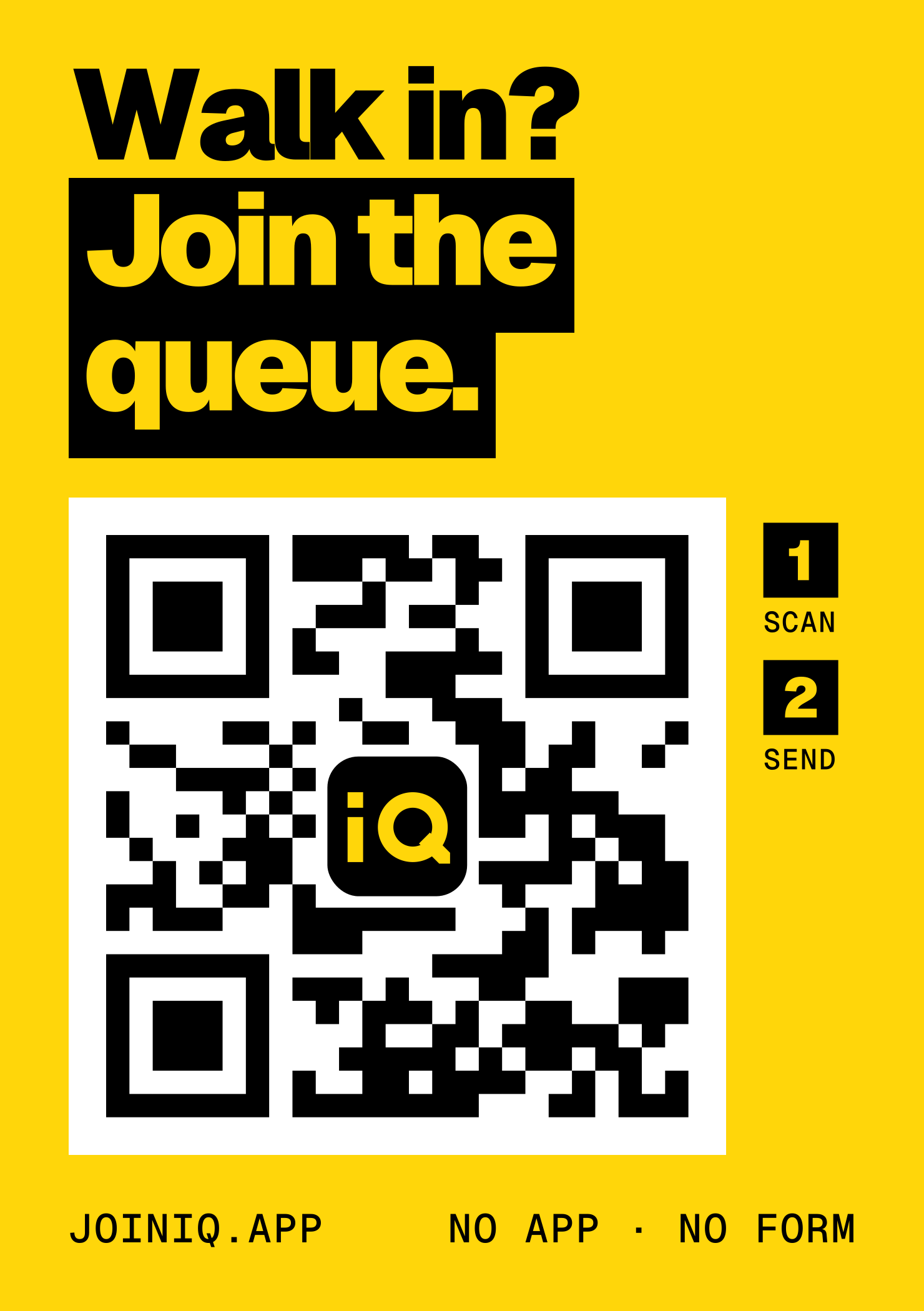
Scan the window
The QR on the door opens WhatsApp with the message already written. Nothing to download, nothing to fill in.
2
Tap Send
Then one tap for what you want and one for who with. Your name and number come from WhatsApp, so there's nothing to type.
3
Sit back
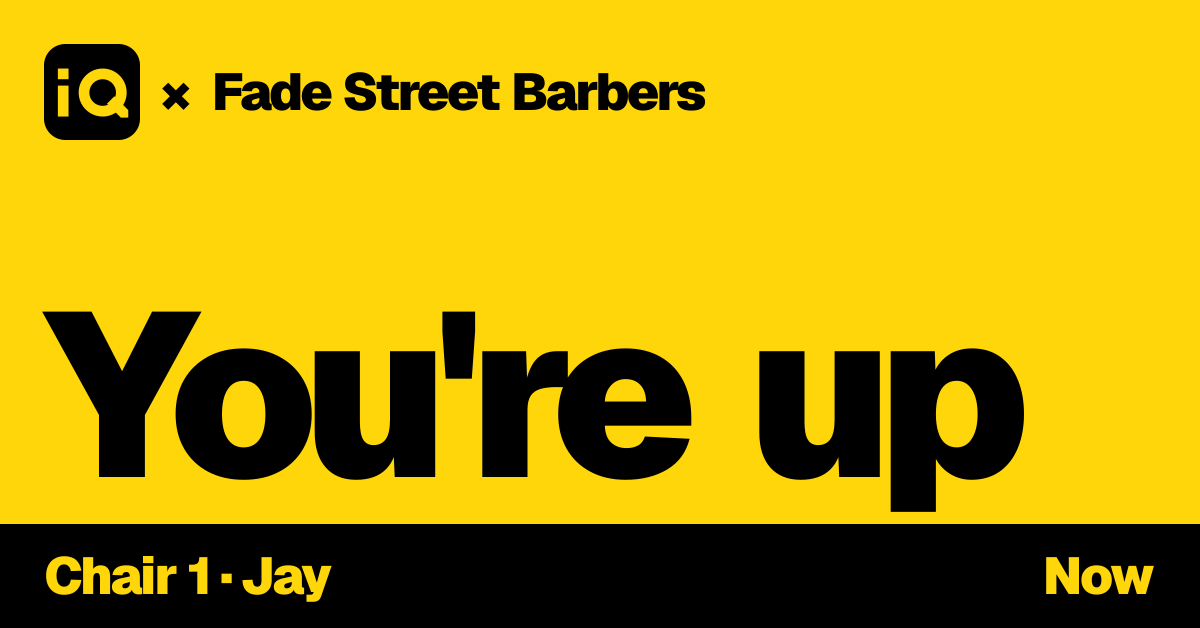
Wait in the café, the car or at home. We message you when it's nearly your turn, and again when you're up.
Live demo
Be the customer. Then be the shop.
Step 1Scan the window sticker on the phone.
Point the camera at the shop window
Fade Street BarbersKingsford · Walk in only
Live waitAbout 50 to 55 min
By joining you accept joiniq's Terms and Privacy Policy, including offers and personalised ads from Fade Street Barbers. Stop any time.
Scan to join the queueWait if you join now25–30 min
Queue2 waiting
A demo with an example shop and names. Nothing is sent to a real phone.
Who wins
Your time back. Your customers back.
For customers
No more standing around.
Wait anywhere: the café, the car, at home
See the real wait before you walk over
One scan, one tap: no app, no account
Pick what you want and who with in one tap each, with the real wait
Running late? One tap keeps your place
Stamps and a birthday treat, no card to lose
For shops
Every walk-in becomes a customer.
No walk-outs: a full bench joins from the pavement
A customer list from walk-ins, who today leave no trace
Two taps per customer, on the iPad or your team's own phones; joiniq sends every message
A calmer floor: no crowd, no "who's next?"
Fill quiet hours with regulars nearby
No commission. Your customers stay yours.
The counter
Two taps. That's the job.
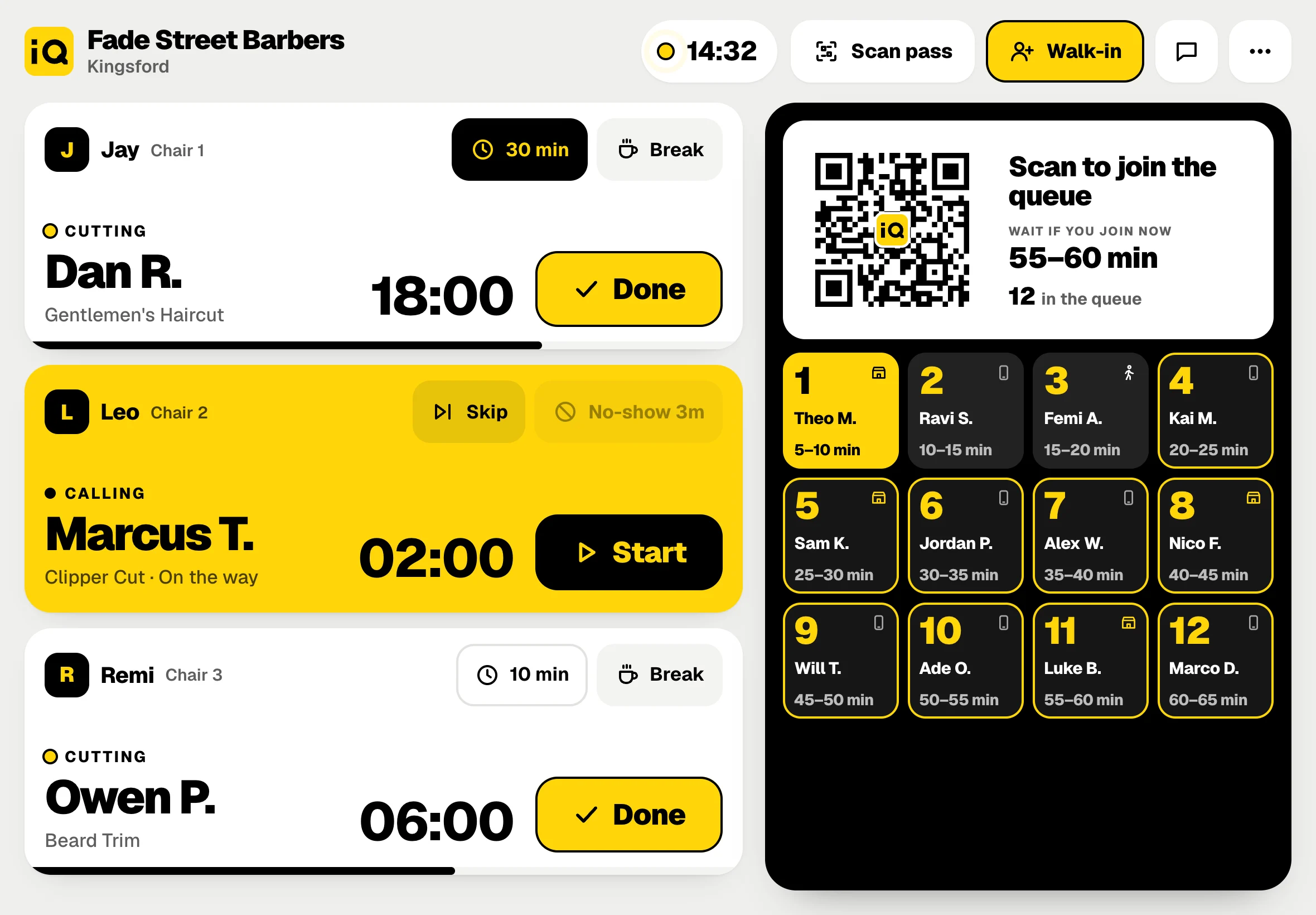
A live board on the counter iPad: every chair, everyone waiting, and your QR on screen so the bench can join from where they sit. Start when they sit down, Done when they're finished. joiniq calls the next person and re-times every wait.
The real counter screen, with an example shop and names. Busy day: past 8 waiting, the queue turns into tiles so all of them fit.
StartHe's in the chair. The clock starts and everyone behind gets a fresh wait.
DoneConfirm the price; thanks and a stamp go out, and the next person gets "You're up".
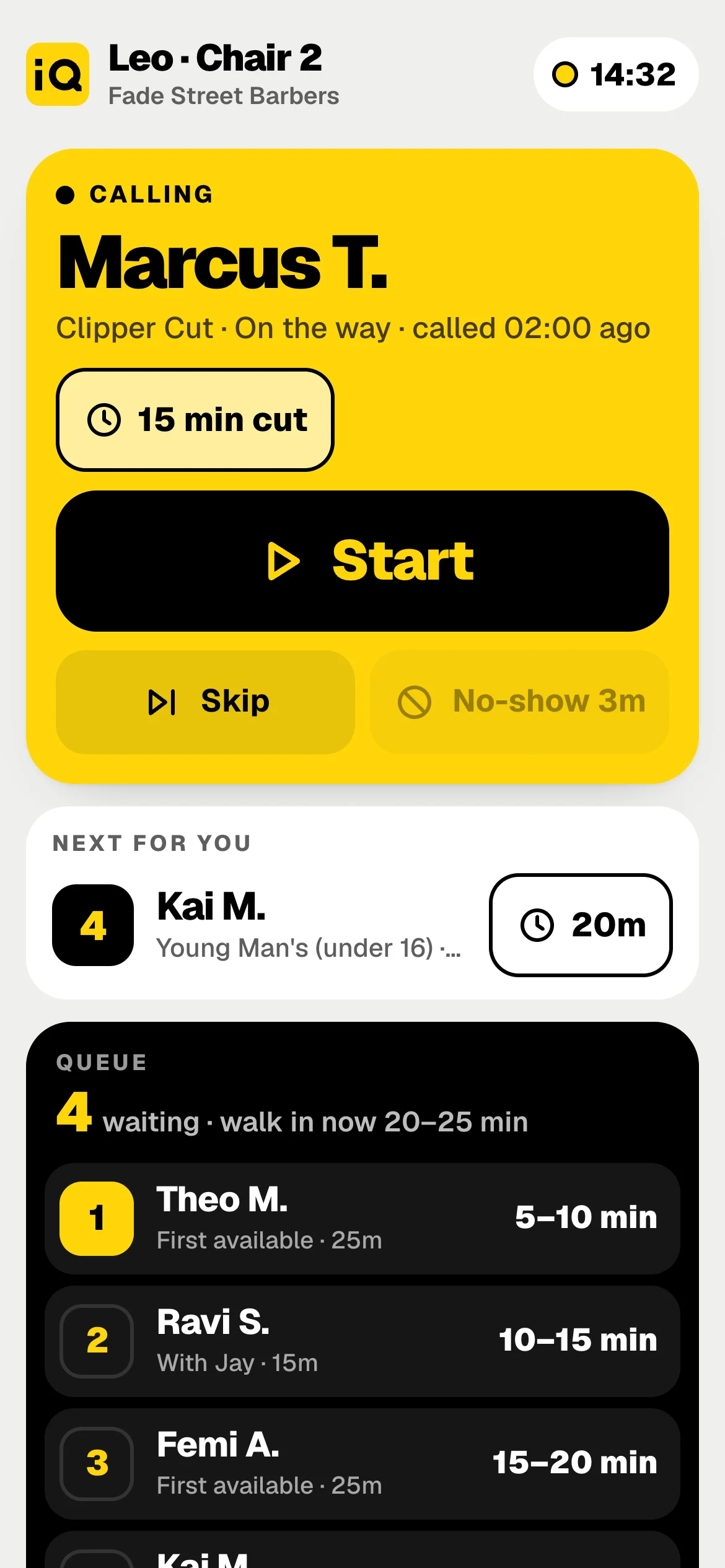
Skip / No-showNot back yet? Skip puts him straight after the next person. No-show after your set minutes.
+ Walk-inNo phone? Add a name so the queue stays true.
Break15 or 30 minutes, or after this cut. Nobody is called to that chair till he's back.
Scan passWalked straight in? Scan his wallet card and the visit is stamped.
My chair
Everyone runs their own chair from their phone.
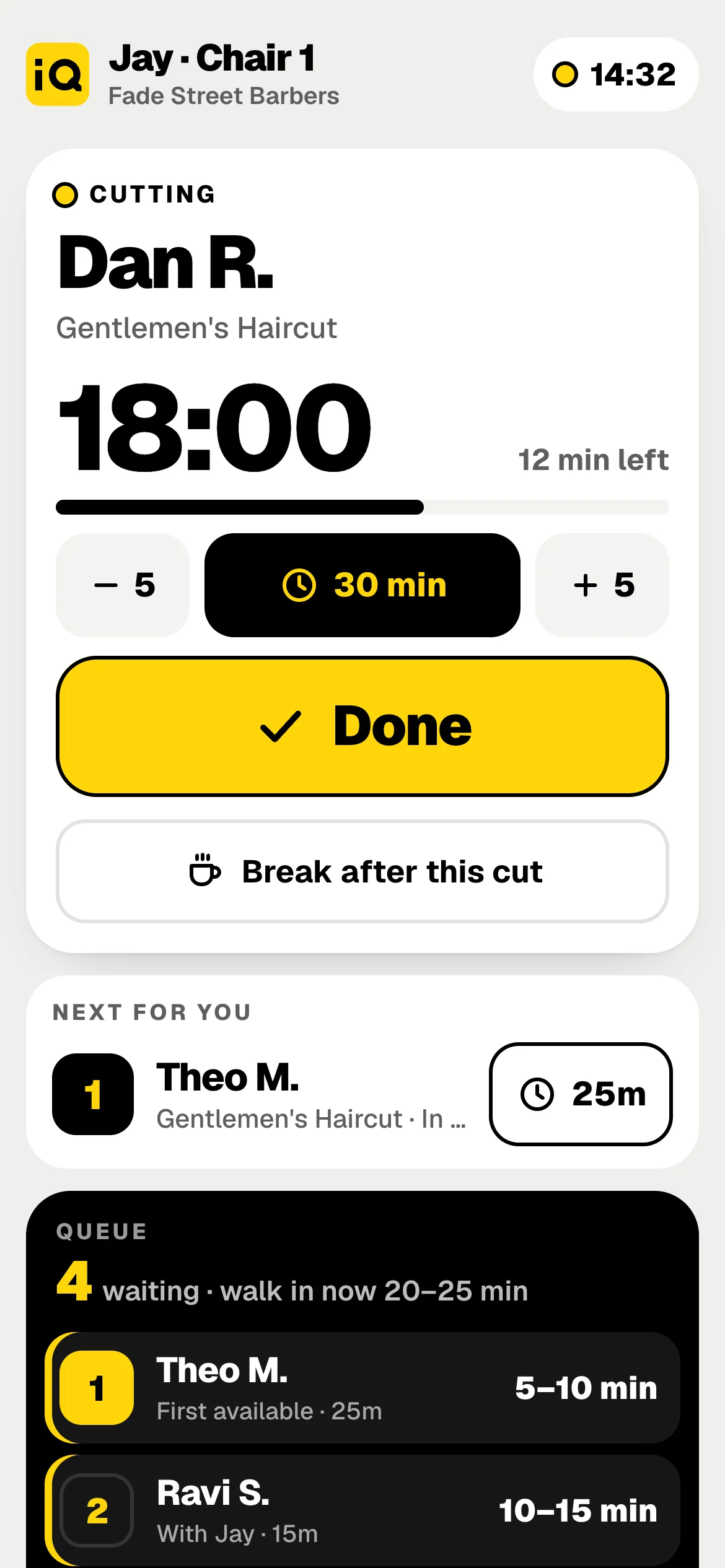
Add it to the home screen and it opens full screen: their client, their clock, one big Start or Done, who's next for them and the whole queue, in step with the iPad.
Their time per client. 15, 20, 30, 45 or 60 minutes, or nudge it by 5. A long job? Waits for everyone re-time at once.
Breaks from the chair. "Break after this cut" and nobody is called to them till they're back.
Staff logins see the counter and their chair only. The money and the customer list stay with the owner.
The shop screen
Put the queue on the wall.
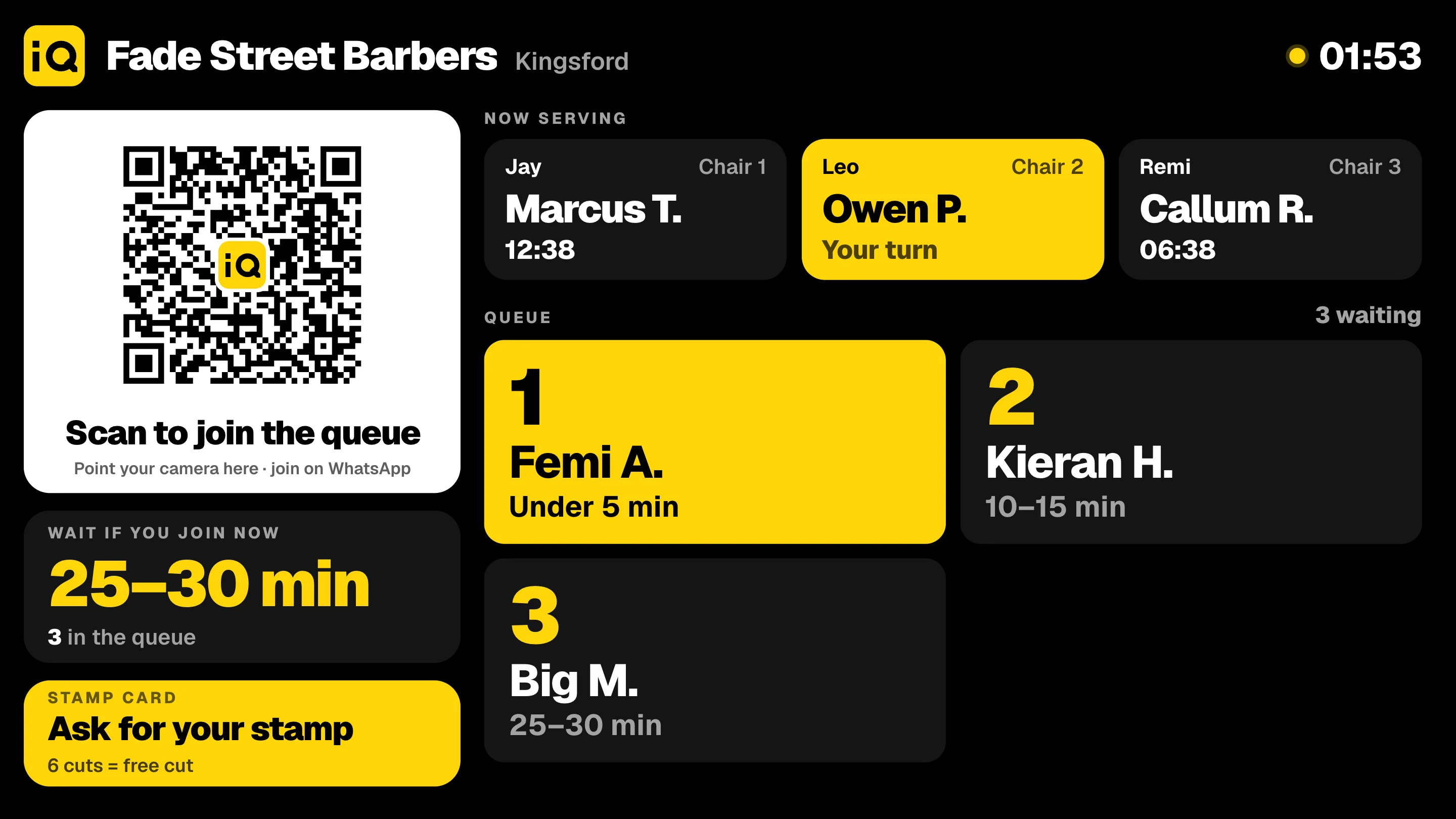
The same live queue on a TV or a portrait screen, read-only, for everyone waiting: the QR to join, the wait if you join now, who's being served and who's next.
First name and initial only. No phone numbers, ever.
Connect a TV with a short code, in any TV browser, or show it by AirPlay or a cable from the iPad.
Your look. Dark or light, landscape or portrait, sections on or off, your promos in rotation.
The real shop screen, with an example shop and names.
Smart links
Every scan. Every tap. Tracked to the till.
Every sticker, post and message gets its own link. You see which ones bring people in, who came back, and what they spent.
Example figures · one month
QR scans0
Joined the queue0
Cuts0
Taken£0
Window 62%Counter 21%Instagram 11%Google 6%
joiniq.app/q/fs1-w
Level 0 · ScanWhere they came from
Which sticker or post, what time, which phone. Nothing asked.
Level 1 · JoinName and number
From WhatsApp, with every visit, service, who with and price.
Level 2 · TermsOffers and ads
Accepted with the terms on the scan page. Stop in every message.
Level 3 · His cardEmail and birthday
A verified email when he claims his card with Apple, Google or an email code. Birthday if he adds it. Signing up is not signing up to offers.
The dashboard
Your whole shop, one screen.
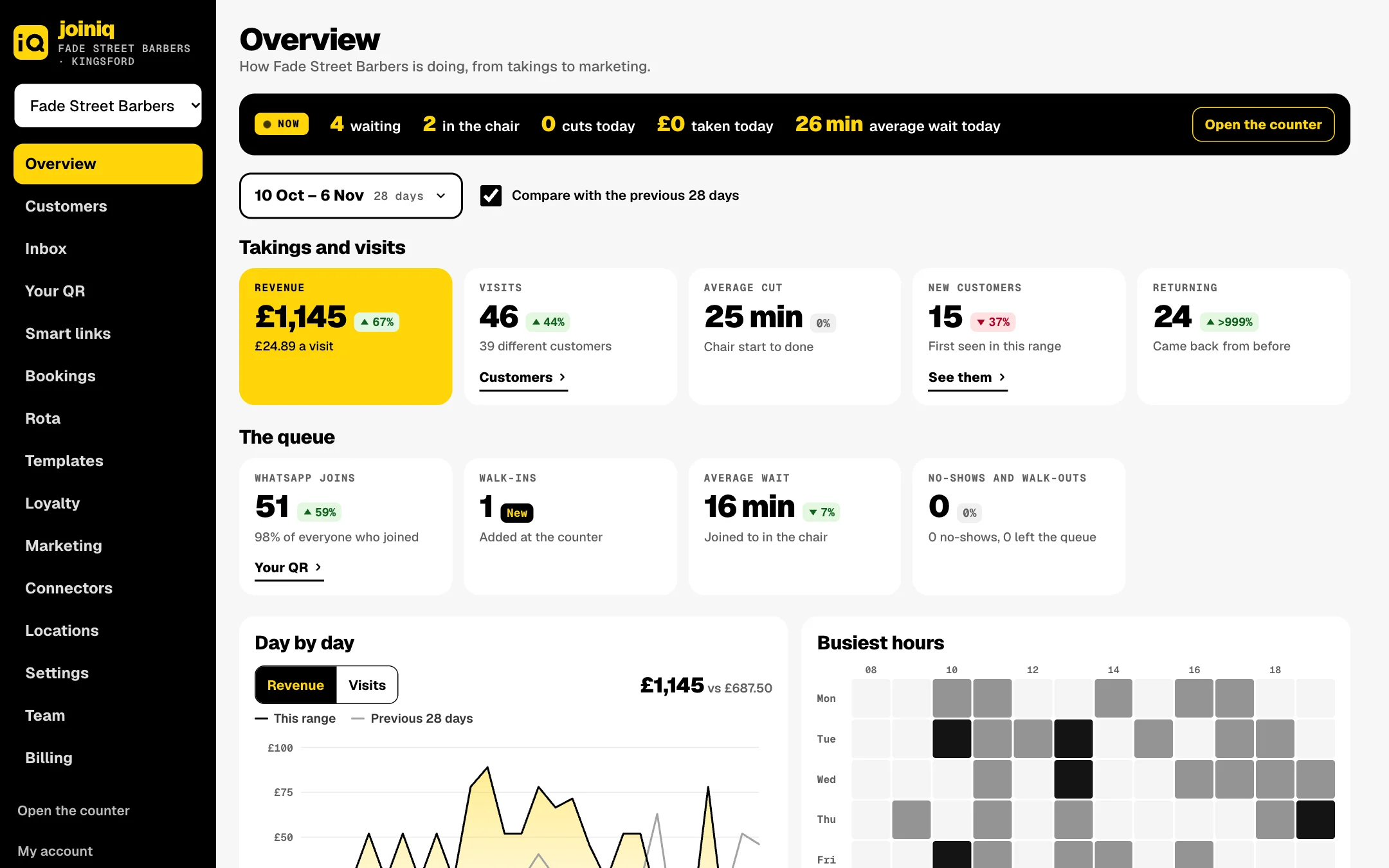
Takings, visits, waits, every customer and every message, from your laptop or phone. Pick any dates and compare with the ones before.
shop.joiniq.app/admin
Overview: takings and visits, the queue, day by day and your busiest hours, for any dates.
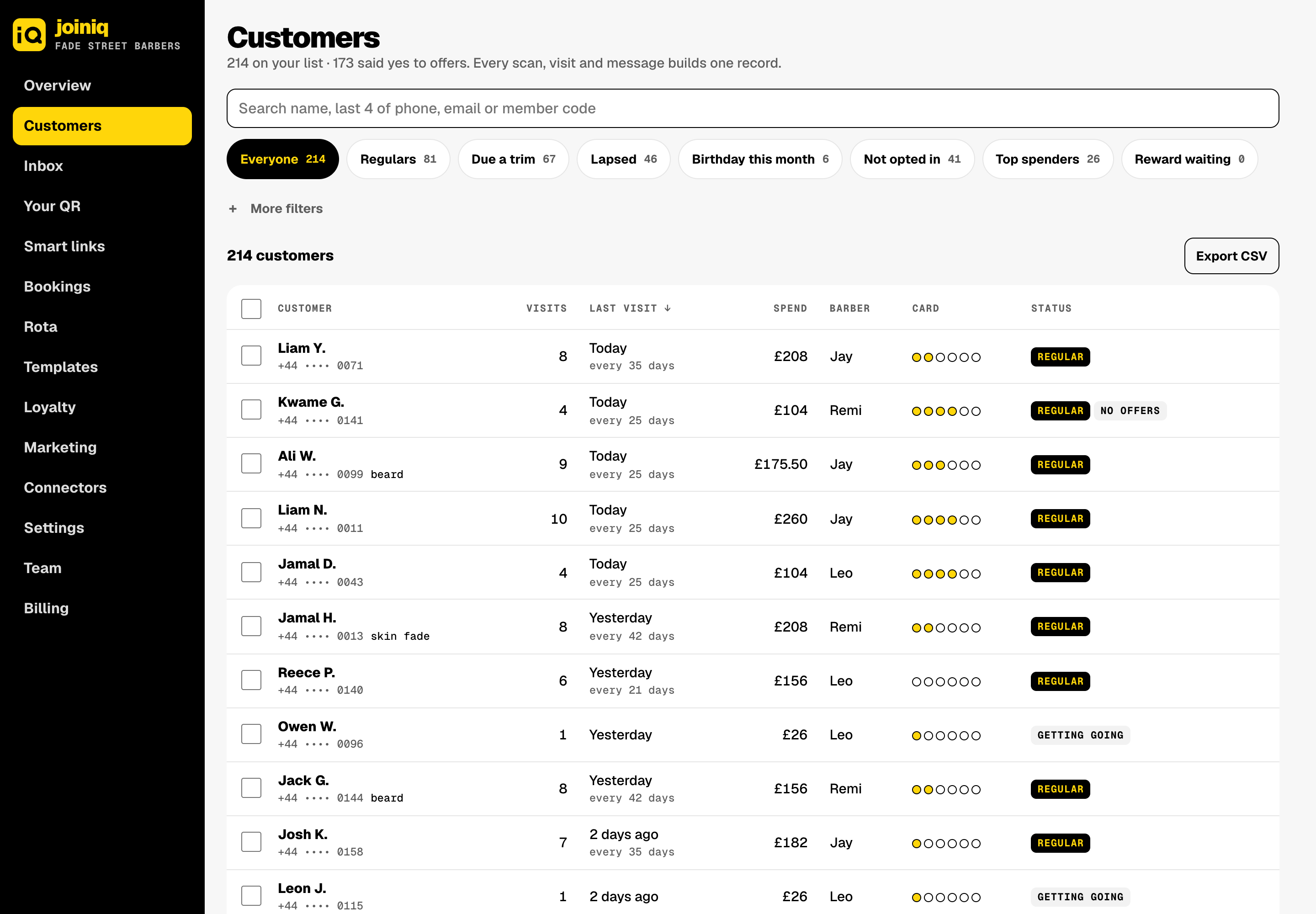
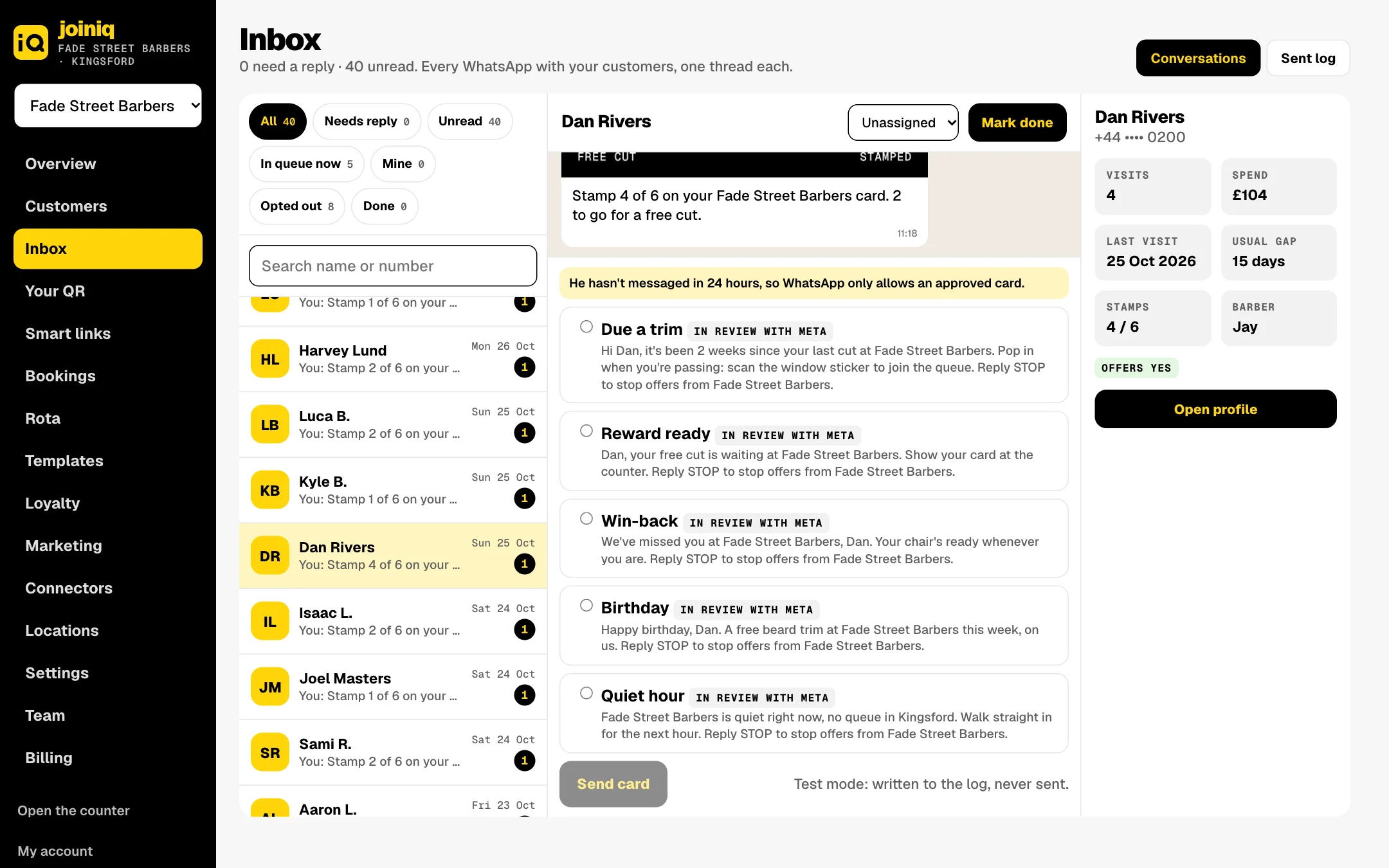
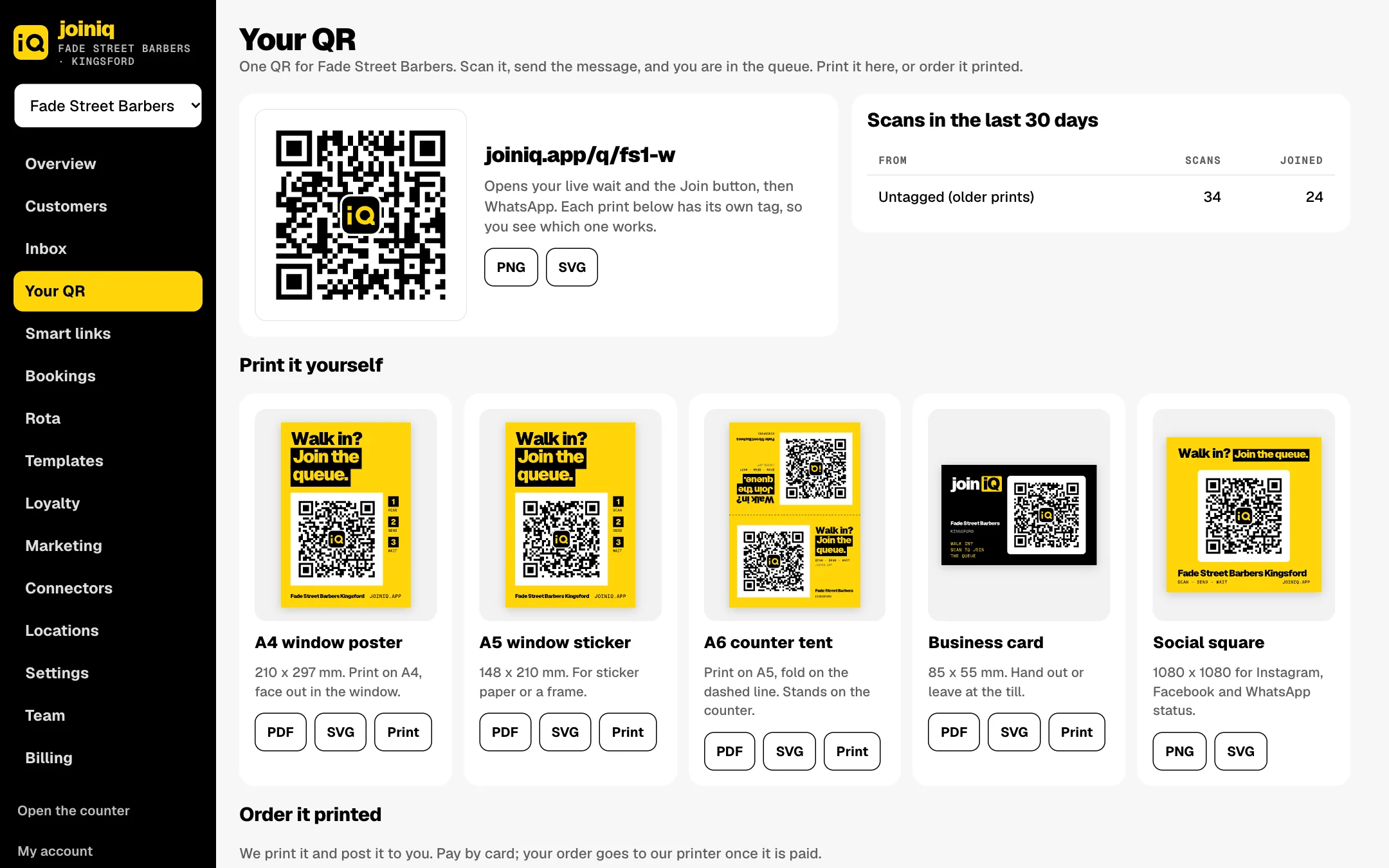
Real screens with the example shop Fade Street Barbers. Names, numbers and figures are examples.
Customer DNA
Every scan builds a customer.
The page between the scan and WhatsApp takes the customer's yes to the terms in the same tap that joins the queue. From then on every scan, tap and visit adds to one record the shop owns.
1record per customer, owned by the shop
1 tapterms accepted on the scan
0apps to download
The stack
One timeline visits, messages, stamps, scans and notes on one clockScans which sticker or post, what time, which phone and town; nothing askedHis rhythm usual gap, next due, who he usually sees, spend and worth a year, worked out from his visitsAds audiences opted-in customers only, to Meta and Google (Ads and Social add-on)
Dan R.Example record · after 4 visitsRegular
SourceWindow sticker FS1-W · door sticker once
ScannedTue 14:01 · usually Tue, Sat
DeviceiPhone · iOS 19 · en-GB
TownKingsford, from the scan
ContactWhatsApp · email added on his card
Visits4 · every 15 days · next due 9 Nov
Spend£104 · avg £26
Usually withJay
InterestsSkin fades · Beard care · Football
Messages5 WhatsApps · email opens and clicks
ConsentTerms on scan: offers yes, ads yes · email yes
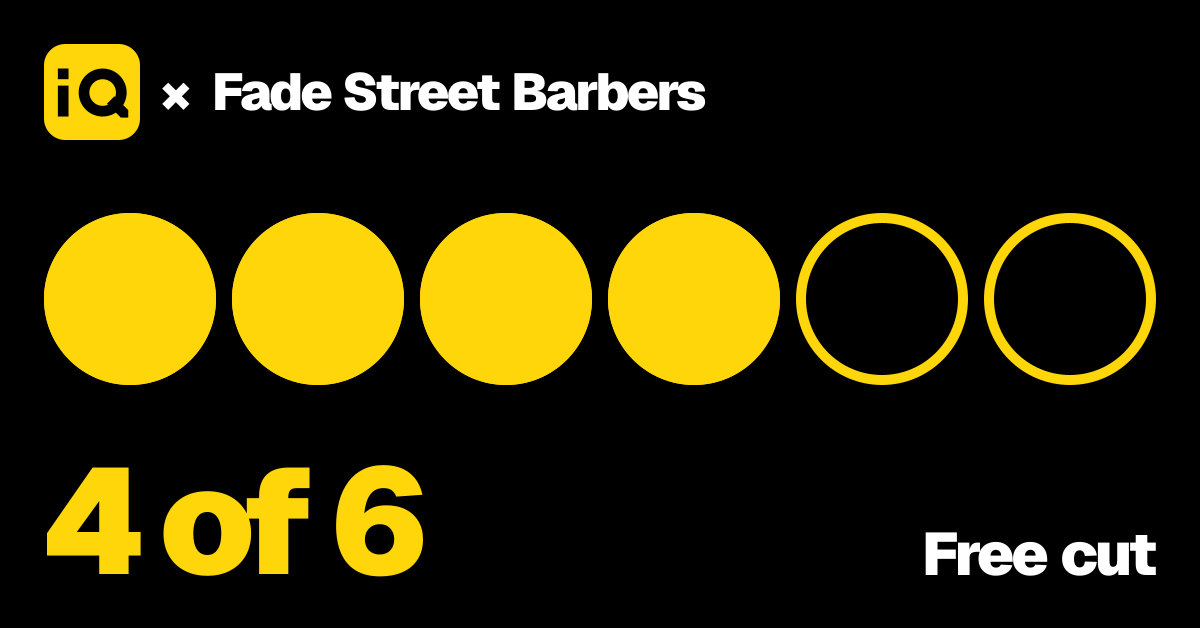
Loyalty4 of 6 stamps · Apple Wallet
How it's usedDue a trim on day 15Quiet hour fillBirthday treatWin-backAds audiences
Digital loyalty
A stamp card in his wallet.
Every visit adds a stamp, queued or not. The card lives on his joiniq profile and in Apple Wallet or Google Wallet, and the counter scans it in two seconds.
His card"My card" in every thank-you opens it. Claim it once with Apple, Google or an email code, then one button: Add to Wallet.
Wallet passBlack card, the ring of the Q fills with his stamps, his name and a member QR. Updates itself after every visit.
Counter scanWalked straight in? The iPad scans his pass: stamp added, visit recorded.
Near the shopWalk past and the pass shows on his lock screen: "Fade Street Barbers is right here. Stamp 4 of 6."
Your rulesHow many stamps, the reward, double-stamp days, a birthday stamp and when stamps expire. Set in Loyalty.
Dan R.Your joiniq profile
Fade Street Barbers4 of 6
2 more cuts to a free one
Last cutGentlemen's Haircut · Jay · 25 Oct
Birthday treatReady 14 March
Add to Apple Wallet
joiniqStamps4 / 6
MemberDan R.RewardFree cut
After the queue
Brings them back. On autopilot.
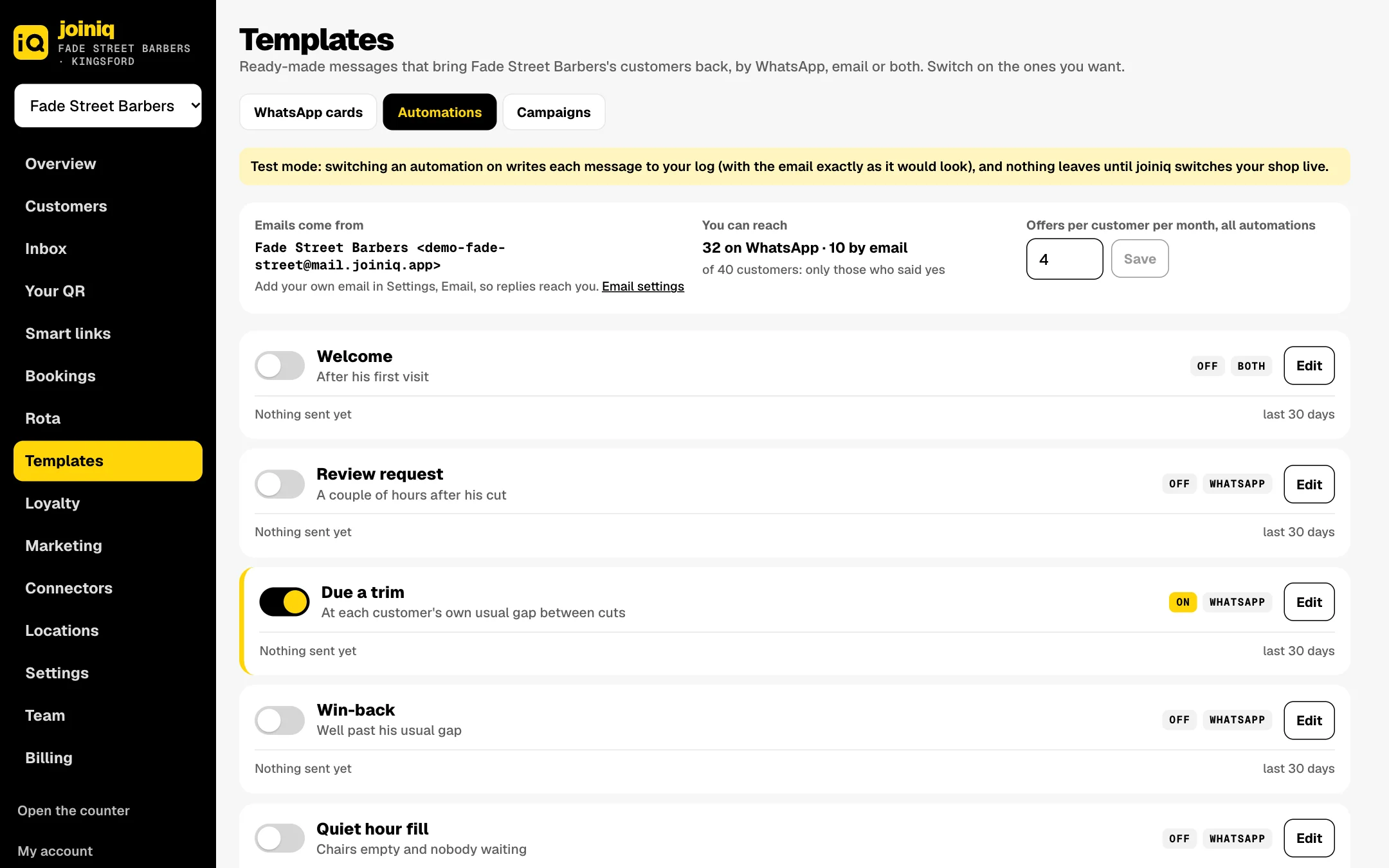
Switch on the ones you want in Templates. Each goes by WhatsApp, email or both, only to people who said yes, never at night, with a monthly cap per customer and Stop on every one.
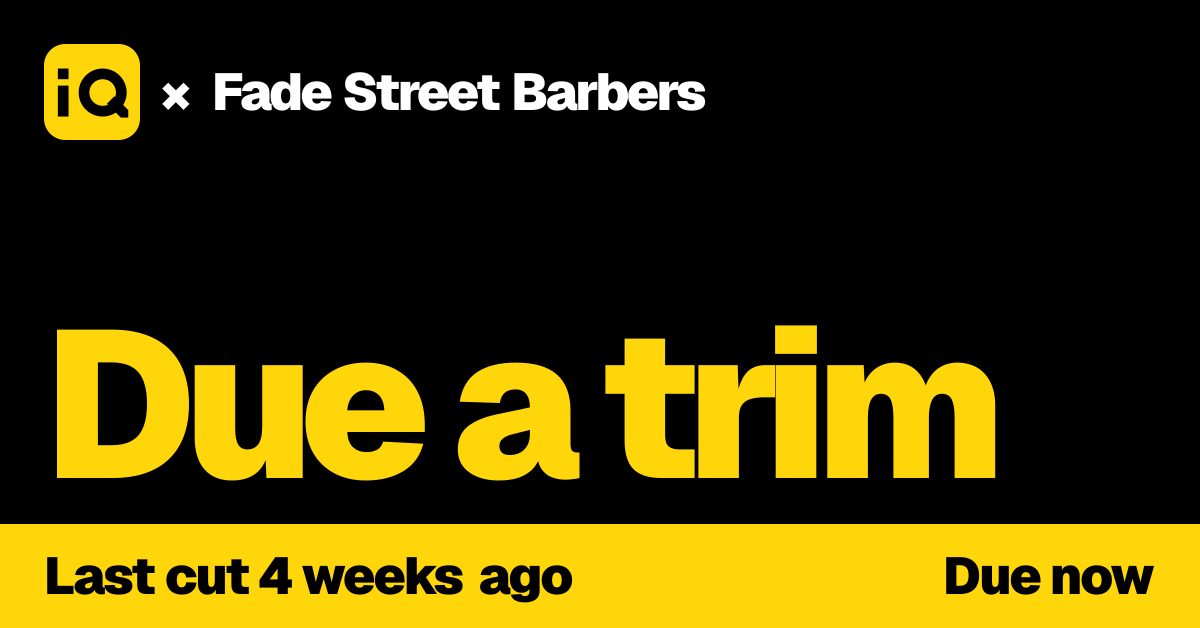
At his own usual gapDue a trim
Learned from his visits, not a blanket blast.
Empty chairs, no queueQuiet hour fill
A small rotating group of regulars hears there's no wait right now.
Birthday weekBirthday
Your treat, a few days before his birthday.
Well past his usual gapWin-back
A nudge at one and a half times his usual gap. You set the multiple.
After his first visitWelcome
Thanks, and his first stamp on the card.
A couple of hours afterReview request
To your Google page, asked at most every 90 days.
When the card fillsReward ready
His free cut is waiting. Show the card at the counter.
Once a monthMonthly news
Your news by email, on the day and hour you pick.
Any time you likeCampaigns
Pick who gets it, write it once, see who came back.
WhatsApp cards
joiniq's words. Your logo.
Every card carries an "iQ × your logo" picture. We write the words and get each card approved by WhatsApp, so you only ever upload your logo. Emails go out in your name, from joiniq's sender or your own domain.
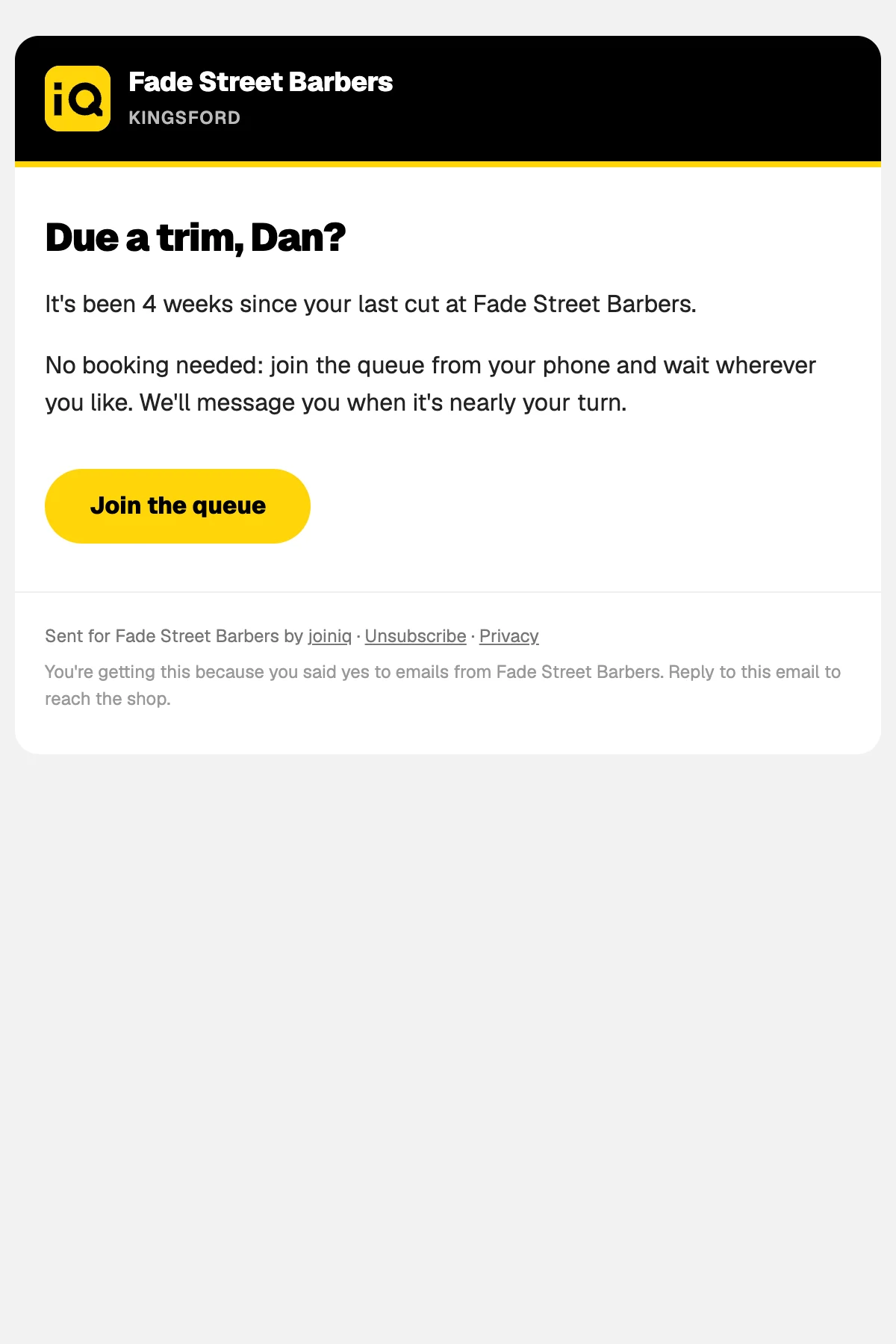
The Due a trim email.
Not queuing? Still scanning.
Stamp my cardRate my cutWin a free cutBirthday clubLive wait from homeReorder this wax
Your QR
Print it. Stick it up.
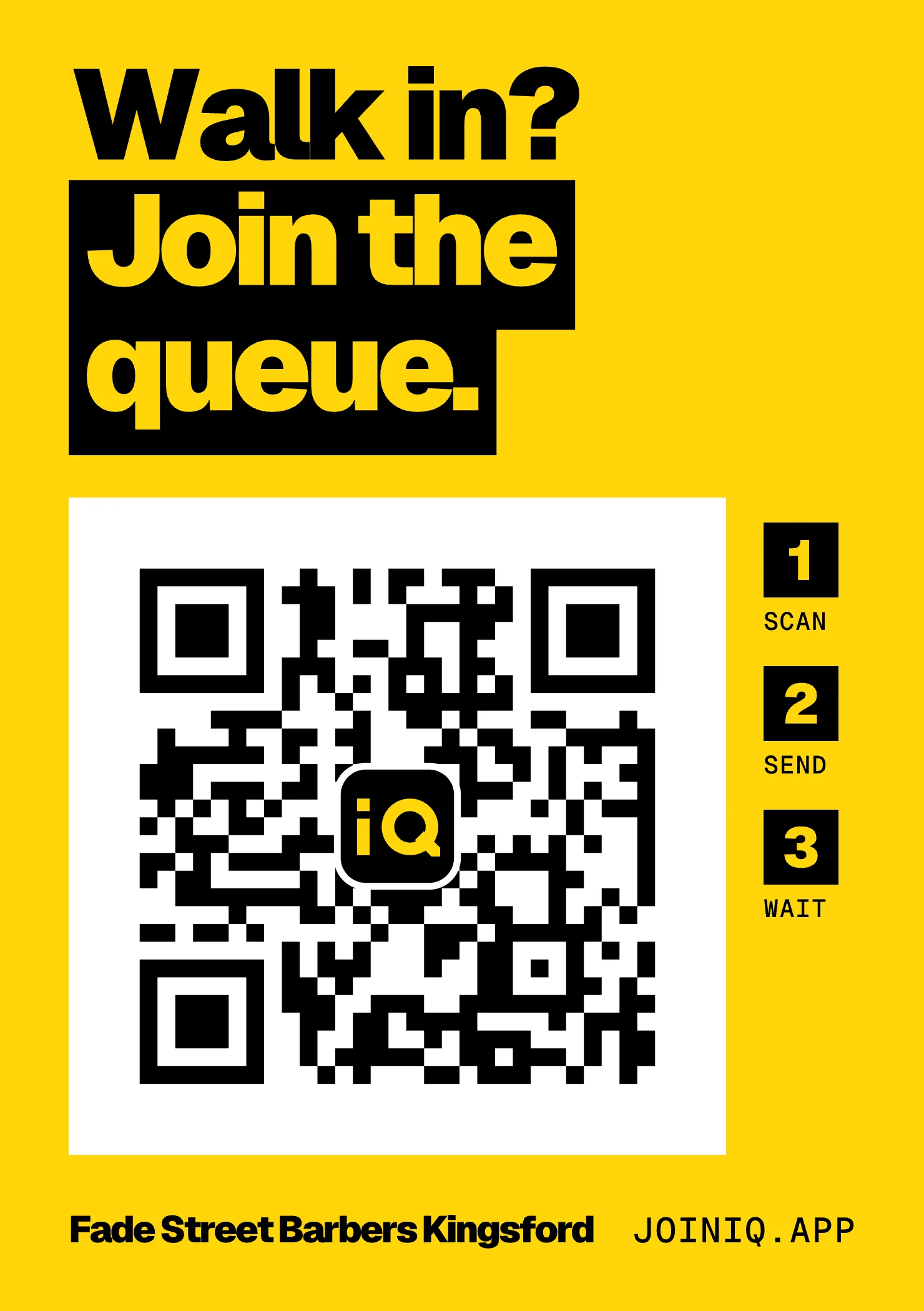
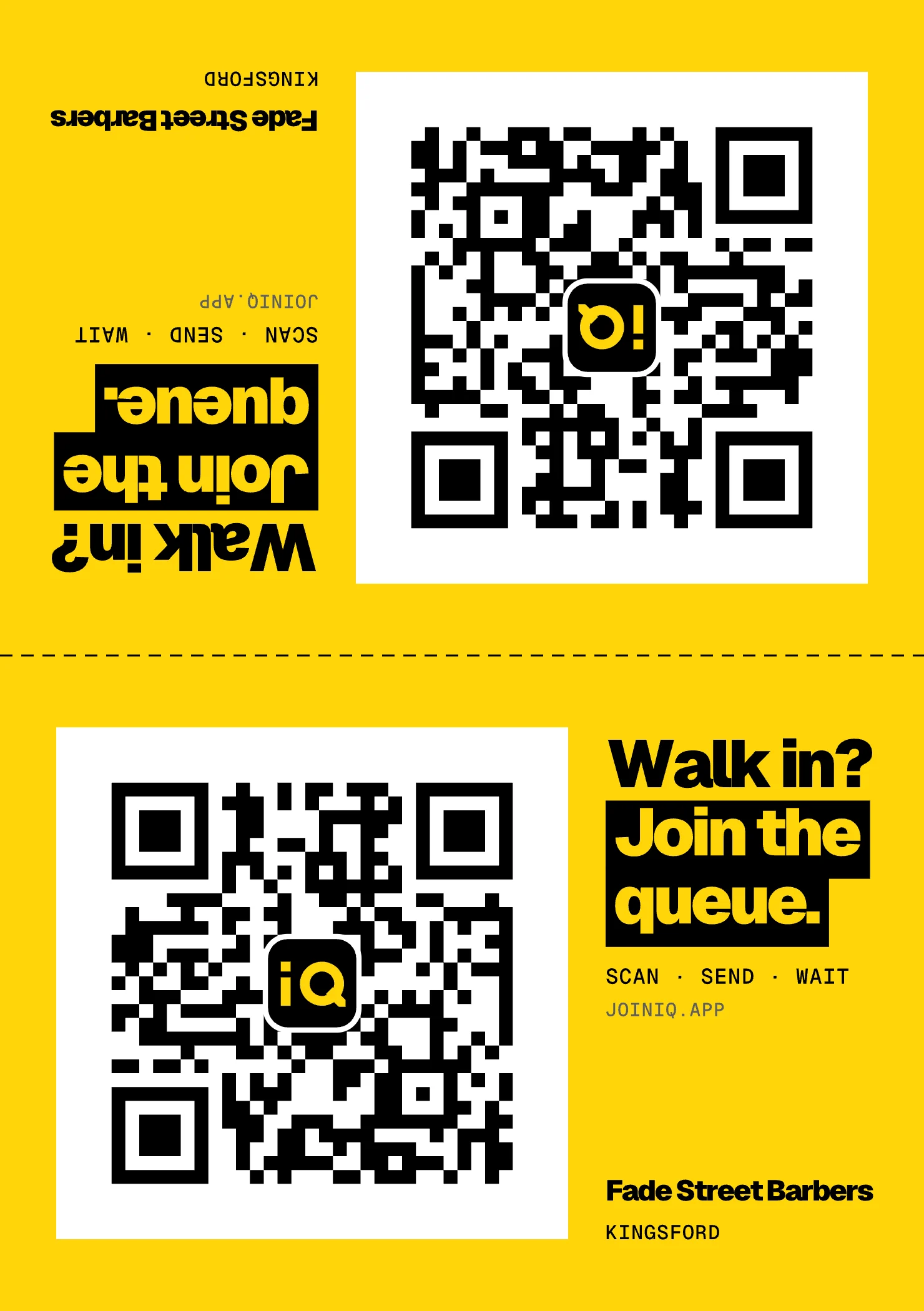
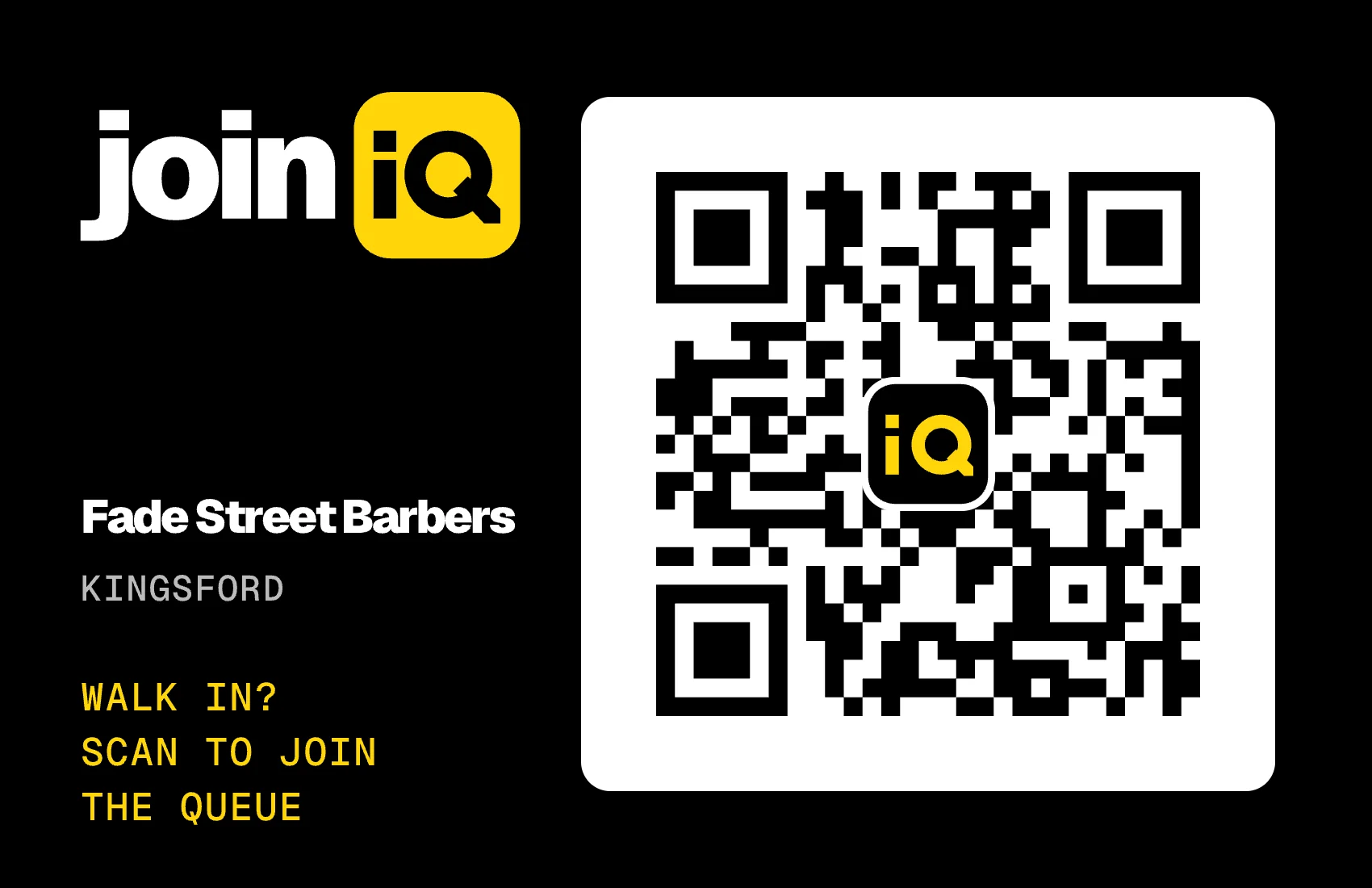
Your shop's own QR, ready to print: A4 window poster, A5 window sticker, A6 counter tent, business card and a social square. Each print is tagged, so you see which one brings people in.
Print itPDF or SVG, on the joiniq yellow with your shop name. Print at home or at any print shop.
On screenThe counter iPad shows the same QR, so the bench can join from their seats.
Order itA printed vinyl window sticker or a counter photo stand, posted to you. Coming soon.
Add-on · Ads and Social
Posts and ads that bring people in.
Your Instagram, Facebook, Meta and Google ads in one Marketing page, matched to the customers they bring back.
SocialPlan and approve Instagram and Facebook posts; they publish at their time.
AdsMeta and Google ads from ready templates, always created paused, inside a monthly cap you set.
ResultsWhich posts and ads brought people in, and the money from their cuts.
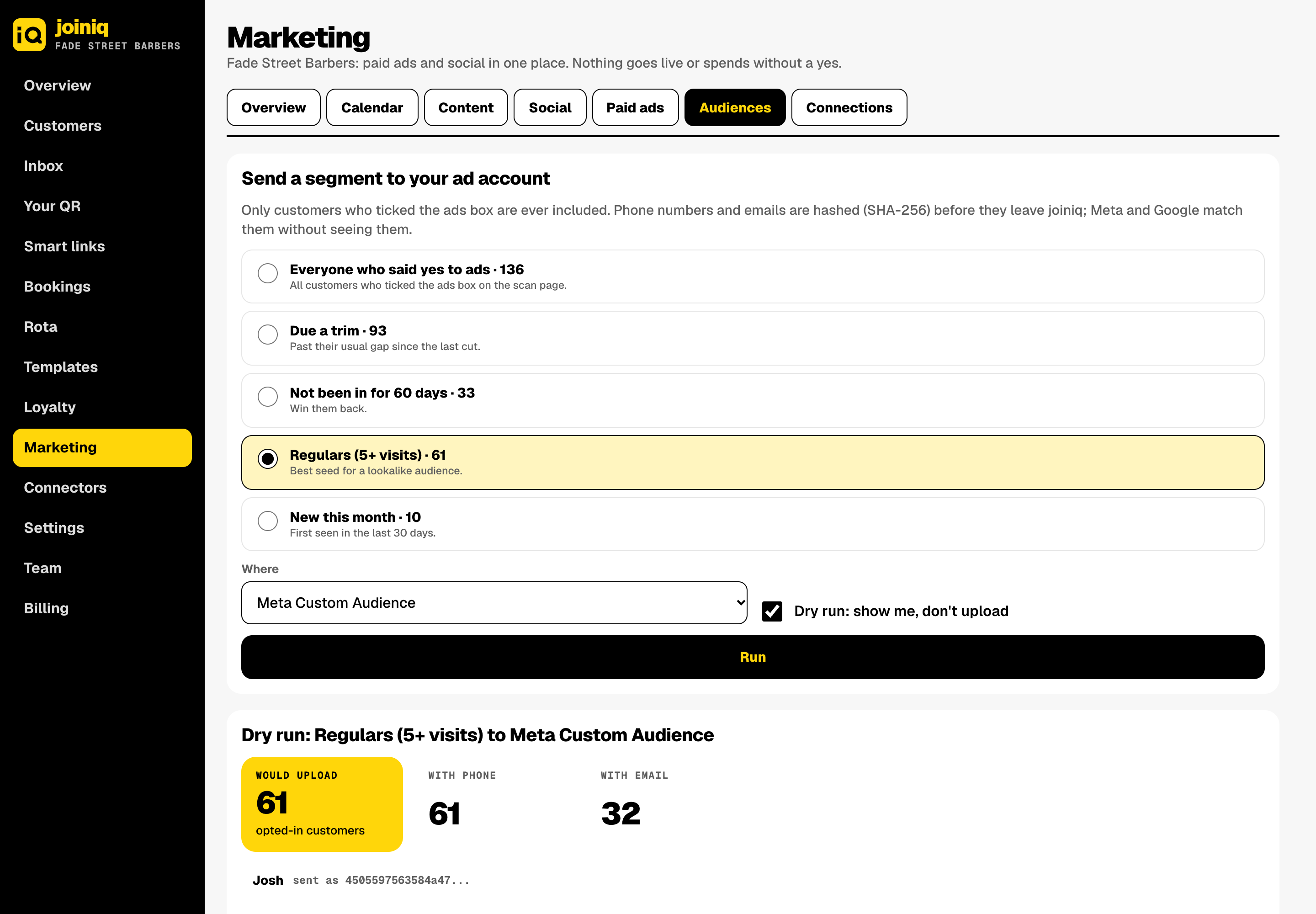
AudiencesReach your opted-in customers with ads, and spot which Instagram commenters are already customers.
Your cardAd spend is paid to Meta or Google on your own card. Nothing goes live without your yes.
Who it's for
Built for every walk-in.
Piloting nowWalk-in shops
Walk-inNail bars
Walk-inPhone repair
Walk-inTyres and MOT
Walk-inKey cutting
CollectionTakeaways
Add-on · Rota and cover
Someone's off sick? Cover's sorted.
The rota runs on WhatsApp too. Shifts, reminders, swaps, holidays and cover, all handled for you. And the queue always knows who's in.
RotaWeek, day and month views, drag to move, saved patterns. Gaps light up.
RemindersEveryone gets their shifts and a reminder on WhatsApp. Never at night.
CoverHe taps CANT on his shift and joiniq asks who's free. First COVER, you tap COVER OK, done.
HolidaysRequests and sick days in one place. Approve or decline in one tap, with clashes and allowance shown.
Queue syncOnly people on shift appear in "Who with?". Shut, or nobody on? The scan page and WhatsApp say when you open.
Shifts, reminders, swaps, holidays and sick-day cover on WhatsApp, synced to the queue.
+£15per shop / month
Add-onAds and Social
Your Meta and Google ads and social posts in one place, matched to the customers they bring back.
+£19per shop / month
Add-onOwn email domain
Send your emails from your own domain, for example offers@yourshop.co.uk.
+£5per shop / month
28 days free. Your card is saved and nothing is taken until the trial ends; then monthly, 3 days before each month is due.
3-month minimum. Or choose 6 months for 5% off, or 12 months for 10% off.
Extra messages beyond what's included are metered from a message balance you top up from £20: marketing WhatsApps 7p, emails 0.5p. Replies inside 24 hours are free.
Group is per shop for 3 or more shops, with one customer list and stamps that work in every branch.
Customers pay nothing. No app, no account, no fees.
What it pays for: at £26 a cut, three customers brought back a month cover Grow.
Questions
Good questions.
Do customers need an app?
No. They scan the QR with their camera and WhatsApp opens with the message written. One tap to send. No download, no account.
Does it cost the customer anything?
Nothing. Queue messages are replies in a chat the customer started.
What about people without WhatsApp?
The shop adds them on the counter screen with just a name, so the queue and every wait stay accurate. A live queue page works in any browser too.
Who owns the customer list?
The shop. Each shop sees only its own customers and can export them any time. No marketplace, no commission.
Will customers get spammed?
No. There's a monthly cap per customer, nothing at night, and every message has Stop: one tap and the offers end.
What does the shop need?
A tablet or phone on the counter and your QR in the window. Print it from Your QR in the dashboard. Your team can each run their own chair from their phone too.
We have more than one shop.
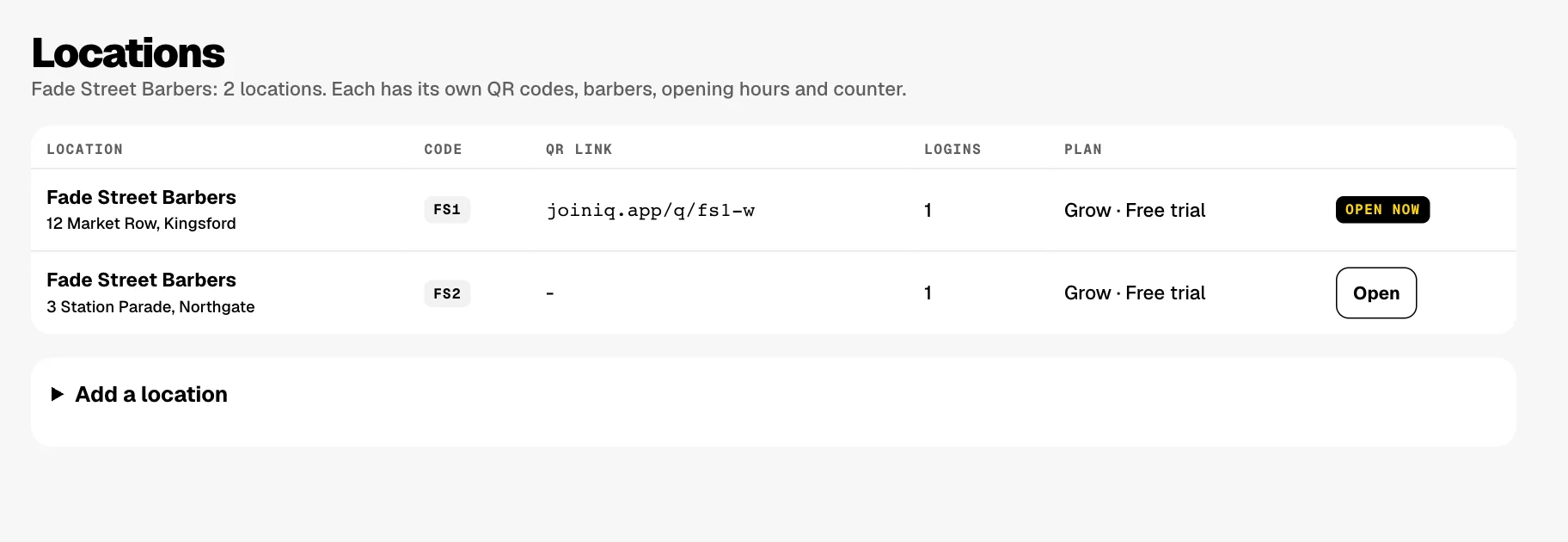
Add each one under Locations: one company and one login, each shop with its own QR codes, team, opening hours and counter. A new location goes on your plan and your card. With 3 or more shops, Group is £49 per shop.
Can the queue go on a TV?
Yes. The shop screen shows the QR, the wait and the queue, with first names and initials only. Connect a TV with a short code in any TV browser, or show it by AirPlay or a cable from the iPad.
What happens when we're closed?
joiniq reads your opening hours and the rota. Outside them, the scan page and WhatsApp say you're closed and when you open. Near closing, new joiners are told the last cut time.
Can customers pick what they want and who with?
Yes, in one tap each from a WhatsApp list, or on the scan page before WhatsApp opens. You choose which, list up to 10 services, and show or hide prices if you only want a queue.
Do we have to stop taking bookings?
No. Connect Fresha or any calendar feed in Connectors and joiniq plans walk-ins around your booked appointments. It reads the diary and never writes to it.
Piloting now in walk-in shops
Stop the standing around.
We're onboarding a small group of walk-in shops. Tell us about yours.
Plays with the sound off and the steps written on screen. Use the controls to turn the music on.
The walkthrough
Every page, in plain words.
1
Overview
shop.joiniq.app/admin
How the shop is doing, on one page: takings and visits, the queue, day by day and your busiest hours, how each member of the team is doing, which QR gets scanned, and what your automations and marketing brought back. Pick any dates and compare them with the ones before.
2
Customers
shop.joiniq.app/admin/customers
Everyone who has scanned or joined, built for you from every scan, visit and message. See who has said yes to offers and who's due back, then open anyone for their visits, spend, usual gap, stamp card and messages on one timeline.
3
Inbox
shop.joiniq.app/admin/inbox
Every WhatsApp with your customers, one thread each, showing what needs a reply and what's unread. Outside WhatsApp's 24 hours, send an approved card in one tap.
4
Your QR
shop.joiniq.app/admin/qr
The one QR for your shop. Scan it, send the message and you're in the queue. Print the poster, sticker, counter tent, business card or social square yourself, each tagged so you see which one works, with scans for the last 30 days.
5
Smart links
shop.joiniq.app/admin/links
Every sticker, flyer and bio link gets its own code, so you can see which one is bringing people in.
6
Bookings
shop.joiniq.app/admin/bookings
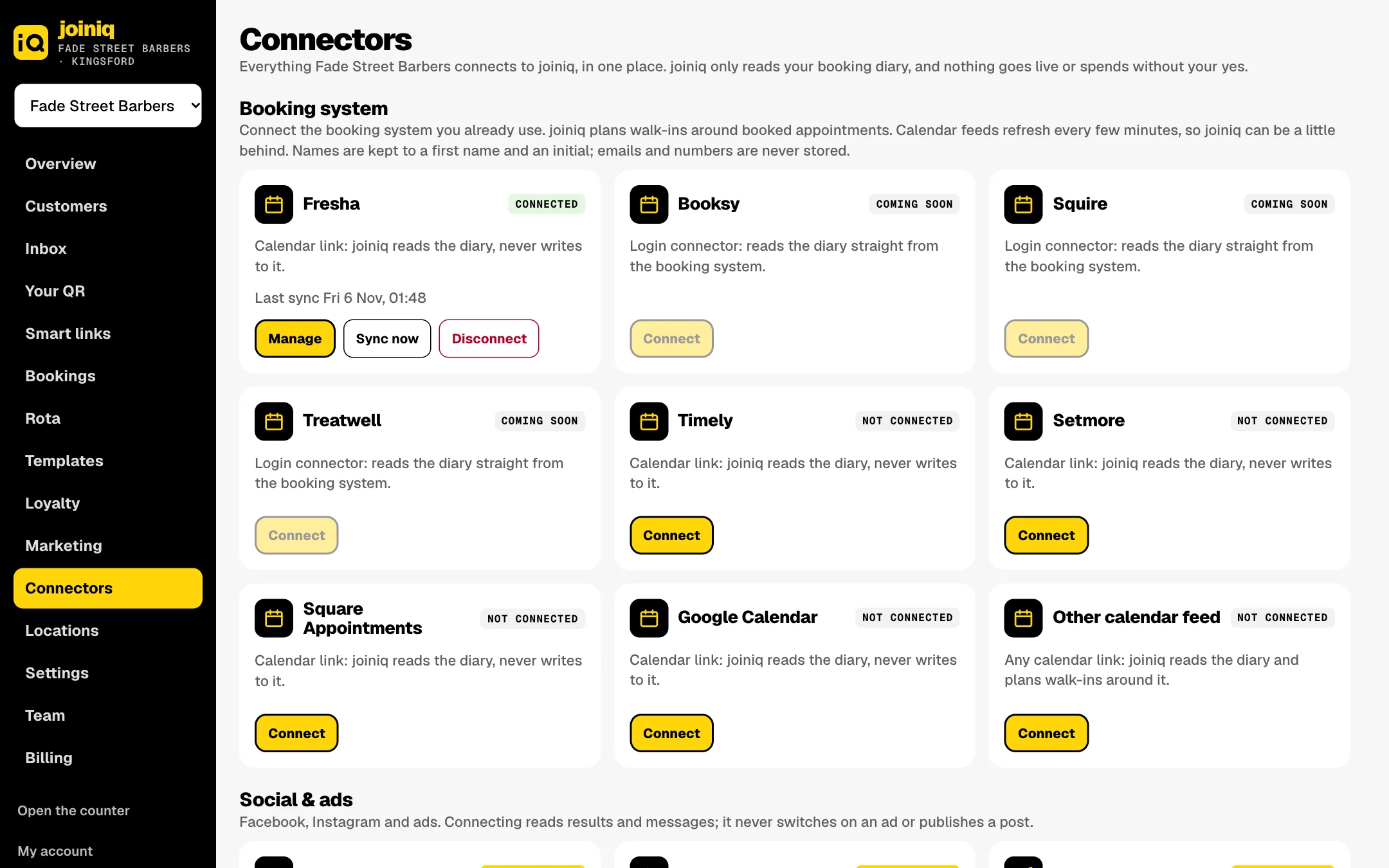
If you also take bookings, connect Fresha, Timely, Setmore, Square, Google Calendar or any calendar link and the diary shows here. joiniq only reads it, never writes to it, and plans walk-ins around booked appointments.
7
Rota
shop.joiniq.app/admin/rota
Who's in, who's off, holidays, and cover sorted on WhatsApp. The queue only offers people who are on shift. This is the Rota and cover add-on.
8
Templates
shop.joiniq.app/admin/templates
Three tabs. WhatsApp cards: our words, approved by WhatsApp, with your logo on the picture. Automations: ready-made messages that bring customers back, by WhatsApp, email or both; switch on the ones you want. Campaigns: a one-off message to a group of customers, which you approve before anything goes.
9
Loyalty
shop.joiniq.app/admin/loyalty
Your stamp card in the customer's wallet. Set how many stamps earn which reward, or keep the defaults, and see who got their card in the last 30 days. On a Group plan the same card works at every location.
10
Marketing
shop.joiniq.app/admin/marketing
Paid ads and social media for your shop on one page: Overview, Calendar, Content, Social, Paid ads, Audiences and Connections. This is the Ads and Social add-on. Ads are created paused and nothing spends without your yes.
11
Connectors
shop.joiniq.app/admin/connectors
Everything your shop connects to joiniq, in one place: your booking diary, Instagram, Facebook and ads.
12
Locations
shop.joiniq.app/admin/locations
Every shop under one company and one login, each with its own QR codes, team, opening hours and counter. A new location goes on your plan and your card.
13
Settings
shop.joiniq.app/admin/settings
Your shop's name, address, logo and colour. Your services, whether customers pick a service and who with, and whether prices show. Your email settings, and how the shop screen looks on a TV.
14
Team
shop.joiniq.app/admin/team
Your team's profiles, skills, usual hours and holiday, plus who can log in. A staff login only opens the counter, and only at the locations you tick.
15
Billing
shop.joiniq.app/admin/billing
Your plan, add-ons and term, your message balance and usage, and your invoices.
Real screens with the example shop Fade Street Barbers. Names, numbers and figures are examples.